Hi. This is a page that will show you how to create your own opinion poll on our website. Before we start, I will briefly explain what kind of website you are visiting.
This is a website for discussing public opinion, where anyone can share their opinion and ask other people what they think. In short, all you need to do is register, and then you can create your own opinion poll.
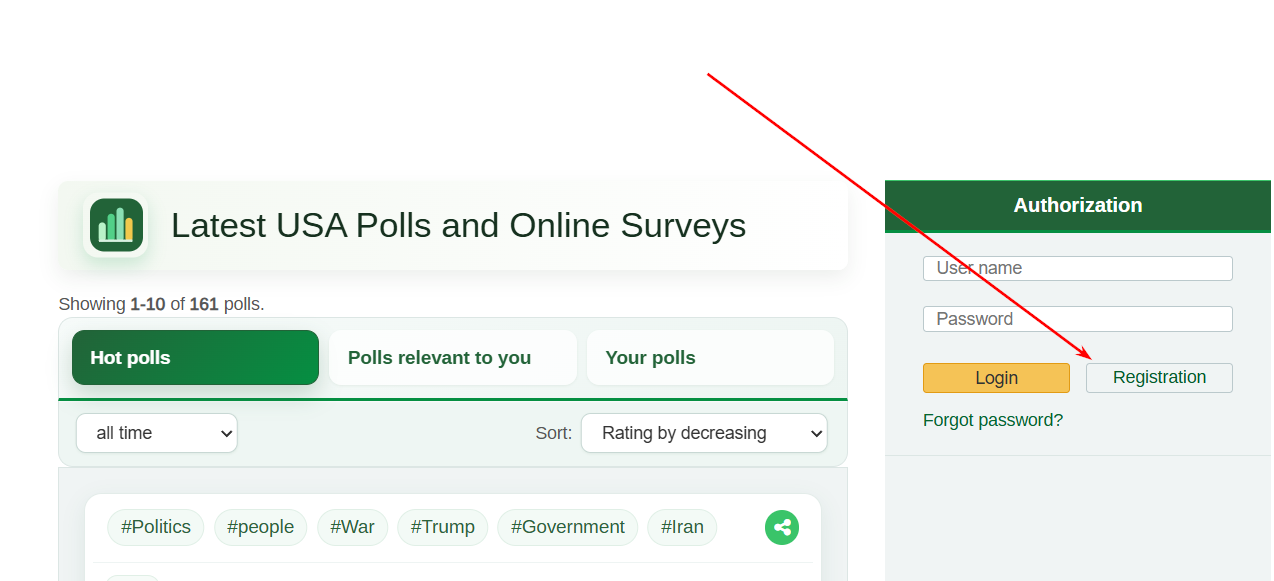
Click the registration button shown here.
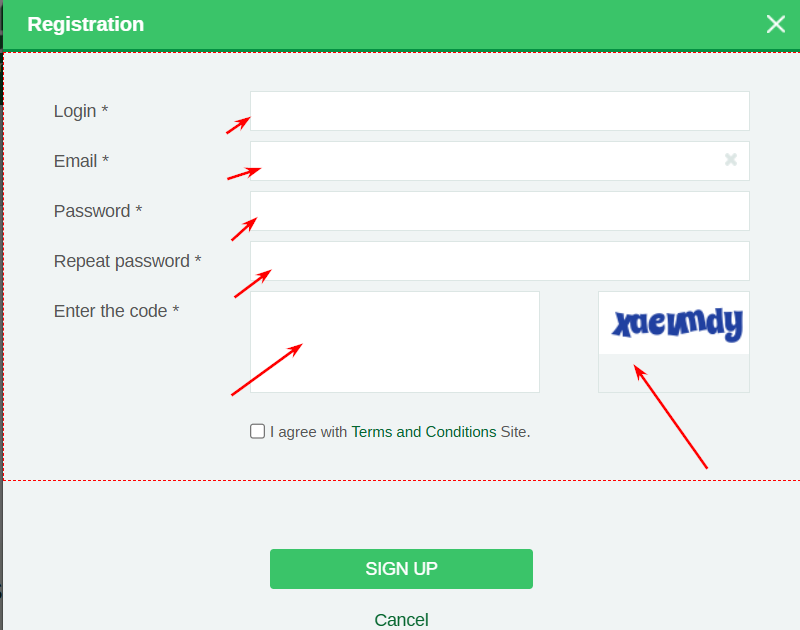
Enter your registration details and fill in all the required fields.
These are only the essential fields and the minimum amount of information required for your profile to work correctly.
Now that you are registered, go to the website’s homepage.
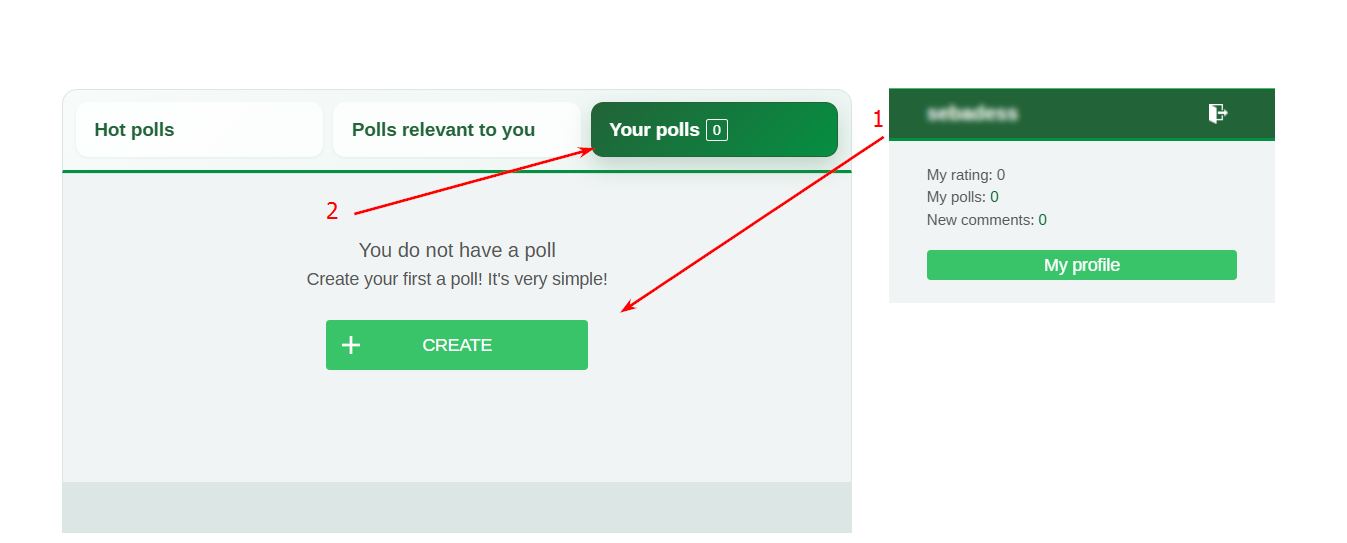
There you will see three buttons. By default, the Hot Polls section is selected. The other two sections contain polls selected for you and your own polls.
Click the third button, Your Polls. You will then see a large Create button.
Click it.
After clicking it, you will see the form where you can create your poll.
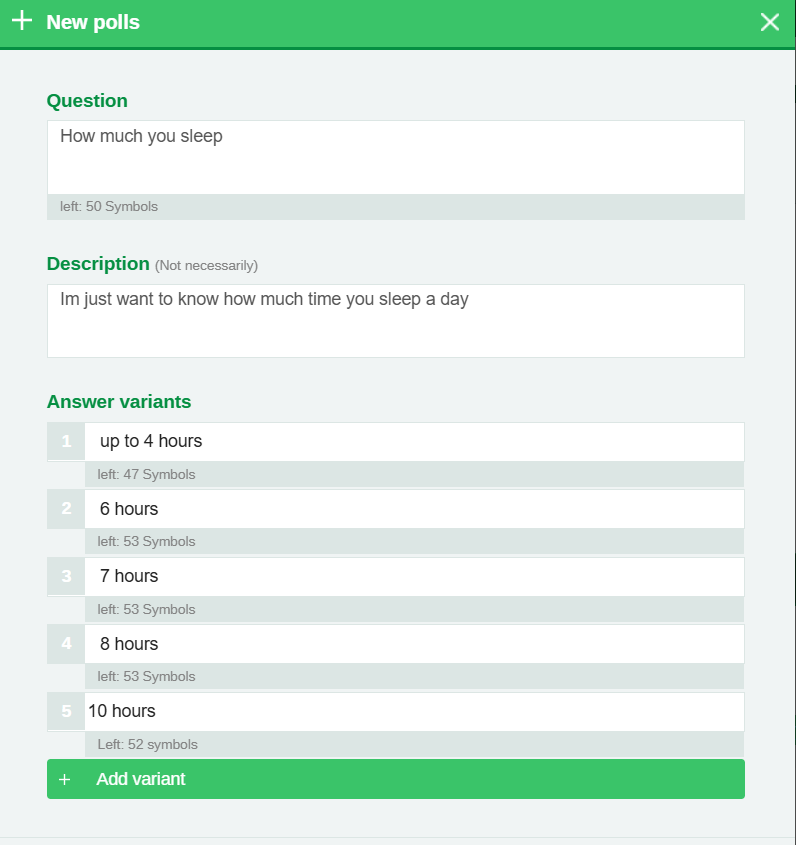
First, enter the title of your poll. If necessary, you can also add a description explaining what your poll is about. Next, enter the answer options that users will be able to choose from when voting.
Please note that you can remove answer options if you need fewer than four. There is a separate button for deleting an option, and you can also add new answer options if you need more.
Next, enter the tags related to your poll. You can create a poll without adding tags, but tags may later be added by a moderator to help categorize your poll and show it to more relevant users.
Once you have completed these fields, you will see another option where you can choose how the poll results should be displayed by default to everyone who votes in your poll, including yourself.
At the moment, there are four available options:
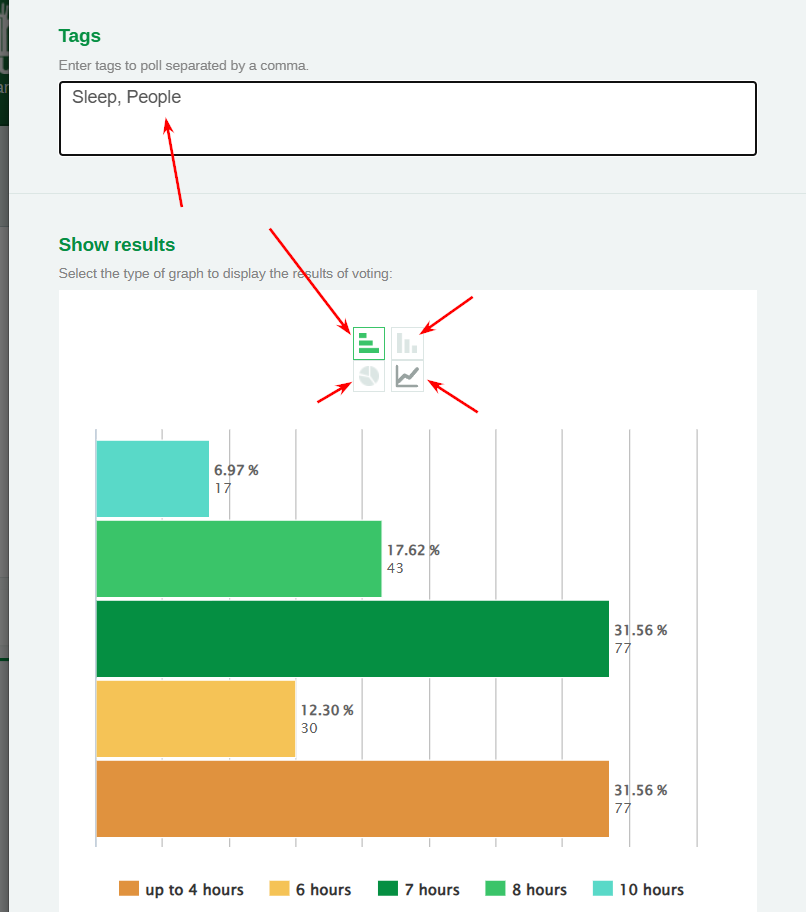
After you have filled in all the poll details, click Next.
You will then see another form that helps the website find users who may be more relevant to your poll.
By default, the only required field here is the country for which your poll is intended. All other fields are optional.
After that, click Create.
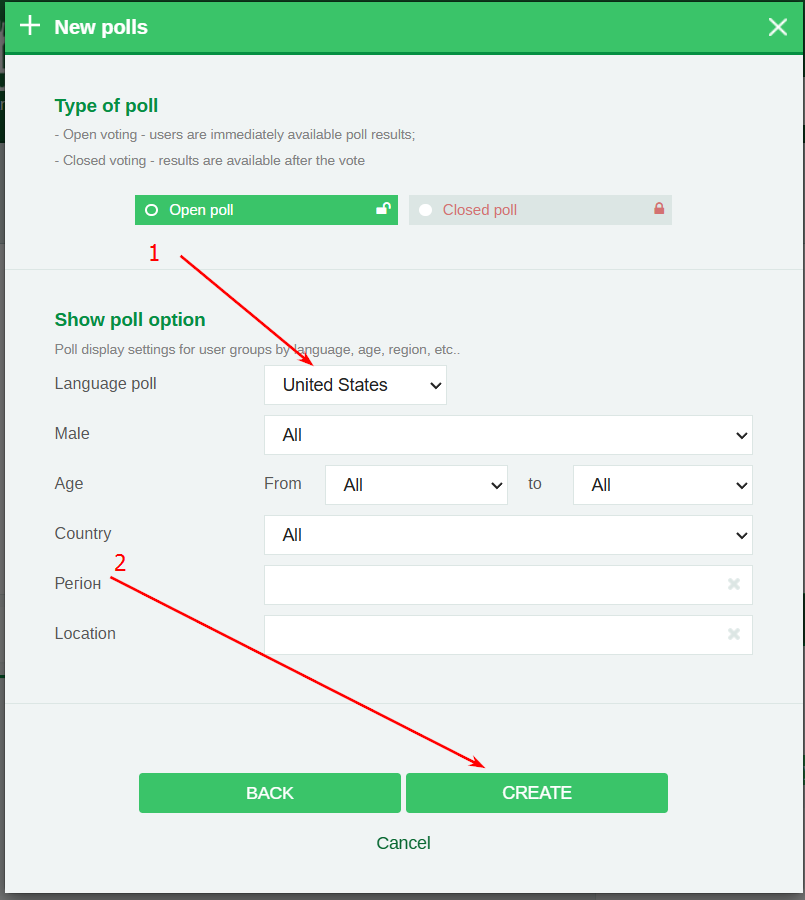
That’s it — your poll has been created.